
Be There
Blog
Office Management in Slack: The Rituals Worth Moving In
By BeThere
Aug 27, 2026 • 16 min read
Share this post


Office management used to be a job you could do by walking around. You saw who was in, you noticed the coffee running low, you knew the meeting room was double-booked because two groups were standing outside it. Then half the team started working from home three days a week, and the job became something else entirely: keeping a shared space useful for people who are only in it sometimes, and coordinating that in writing.
The usual response is to buy a tool. A desk-booking app, a visitor system, a facilities portal, a survey product for the office pulse. Six months later the office has five logins nobody remembers and a Slack channel where people ask the questions the tools were supposed to answer. That is not a discipline failure. It is what happens when the coordination layer lives somewhere other than where the team talks.
This article is about the opposite move: running office and workplace management in Slack, on purpose, with conventions instead of licences. It covers which rituals genuinely belong there, which ones do not, how to set the channel up so it stays readable past month two, and the one category of work where a channel alone reliably falls over.
Every workplace tool competes with the channel people already have open. Most of them lose, and the office pays for the loss in unanswered questions.
What office management becomes when the office is half empty
Before deciding where the work lives, it helps to name it. Strip away the org-chart language and hybrid office management is four jobs, only one of which is about the building.
✦1. Presence — who is here, and when
Nearly everything else depends on this. Catering, cleaning rotas, desk counts, whether a team day is worth booking, whether the person you need for ten minutes is two metres away or on a train. In an office where attendance is optional, presence is information, and information that only exists in someone’s head is unavailable to everyone else.
✦2. Space — desks, rooms, and the stuff that runs out
Some of this needs enforcement, most of it needs a heads-up. A room that seats twelve on the one day the whole team is in needs a booking. A desk in an office at 40% occupancy does not — but a warning that Tuesday is unusually full does.
✦3. Logistics — visitors, deliveries, repairs, supplies
The long tail. Individually trivial, collectively the reason the office manager’s DMs are a queue. This is the part most easily fixed by moving requests out of DMs and into a channel where anyone can answer.
✦4. Moments — the reason anyone comes in
Team lunches, a leaving drink, the quarterly all-hands, a workshop, a new joiner’s first day, the summer party. These are the events people actually plan their commute around, and they are the only category with a hard requirement: a headcount that is right before you pay a caterer.
Jobs one to three are conversations. Job four is an event, and events behave differently — which is the distinction the rest of this article keeps coming back to.
✦Why a channel beats a portal for the first three
A workplace tool asks people to remember it exists, log in, and find the right screen — for a question they could type in four words. The channel wins because it has the three properties the portal lacks: everyone is already in it, other people can answer instead of you, and the answer stays visible for the next person who wondered the same thing. A portal makes every question a private transaction with the office manager. A channel makes the office manager’s knowledge public.
That is not an argument against software. It is an argument about placement: put the conversation where the team is, and reserve tools for the jobs where a conversation genuinely cannot hold the state.
Set up one channel properly
Before the rituals, the container. Almost every failed office channel failed for one of the reasons below, and all of them are cheap to avoid on day one.
✦Name it for the office, not for the concept
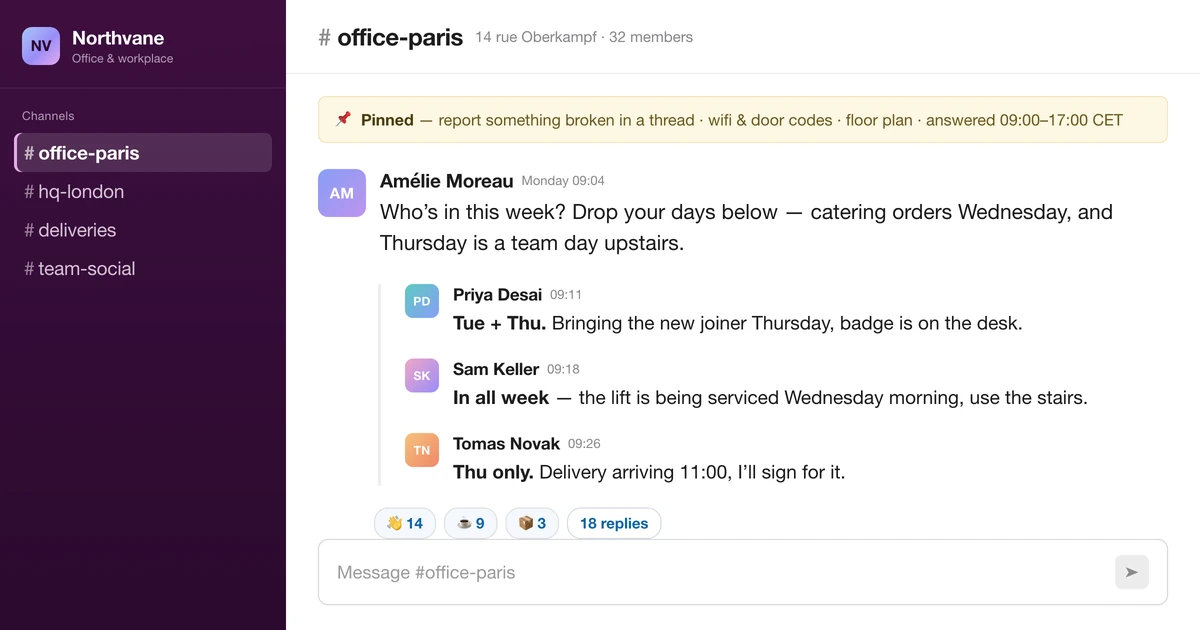
#office-paris or #hq beats #workplace-experience. If you have two sites, you need two channels — one per building — because 80% of the traffic is site-specific and the other site will mute a channel that is mostly about a kitchen they have never seen. Keep one global channel only if you have global announcements, and be honest about whether you do.
✦Pin four things and nothing else
A pinned message people can read in twenty seconds: how to report something broken, the door/access basics, the wifi, and where to find the floor plan. Every additional pin makes the pins useless. If your pinned list has grown to eleven items, nobody has read any of them since item four.
✦Publish a response window, not a promise of instant answers
One line in the channel topic — “questions answered 09:00–17:00 CET, anything urgent call reception” — prevents the two failure modes at once: people assuming nobody is listening, and the office manager feeling on call at 22:00. A published window is also what lets you legitimately ignore a message until morning.
✦Threads for the specifics, channel for the news
One convention, stated in the pinned message: announcements go in the channel, everything about a single request stays in its thread. Without it, a broken printer generates fourteen channel messages and the announcement about Thursday’s closure scrolls out of sight.
✦Rotate the owner and write the job down
If one person is the office channel, the office channel goes on holiday when they do. Name a backup, and write the routine in the pinned message: post the presence prompt Monday, check the supplies thread Wednesday, close the week with what is on next week. A ritual a substitute can run from a written note is a ritual. Anything else is a person.
The rituals worth moving into Slack
Each of these is a habit, not a project. Pick two, run them for a month, then add a third. Adding six at once produces a channel nobody reads by week three.
✦The Monday presence thread
One message on Monday morning: “Who is in this week?” — replies in-thread, one line each, days named. It takes people fifteen seconds and it answers the question everything else depends on.
Two rules keep it from turning sour. First, it is a coordination signal, not an attendance register: never quote it back at someone, never total it up by person, and never share it with anyone who was not going to use it to plan lunch. Second, silence is a valid answer. The moment the thread reads as surveillance, the replies stop being true, and a presence thread with wrong data is worse than none.
What it buys you: the right catering numbers, an honest reason to book or skip a team day, and the ability for two people who both come in on Thursdays to notice each other.
✦The unusual-week warning
Not a booking system — an exception notice. “Tuesday is unusually full: the sales team is in for offsite prep, expect the second floor to be tight and bring headphones.” Occupancy tools sell dashboards for this. A sentence posted the Friday before does the same work for the 5% of weeks that are not normal, which is the only part anyone needed.
Introduce actual desk booking only when you have measured genuine scarcity — people arriving and not finding a seat, more than once. Until then, a booking flow taxes every visit to prevent a problem that happens twice a quarter.
✦The supplies and repairs thread
One standing thread per week, or one channel message per issue — pick one and stick to it. What matters is that requests stop being DMs. A DM makes you a single point of failure; a channel message gets answered by the person who happens to know that the good coffee is in the second cupboard.
Make the format explicit so the request is actionable first time: what, where exactly (floor, room, which of the three printers), and whether it blocks someone right now. Then close the loop in public. “Fixed — new part arrives Thursday” is what teaches people that reporting things is worth it. Requests that vanish into a thread with no reply train the office to stop reporting and start complaining.
A small emoji convention carries most of the state, and it is enough: ✅ done, 👀 looking into it, 🕓 waiting on a supplier. Three emoji, written in the pinned message. Not a taxonomy.
✦Visitors and deliveries
Post them the day before: who is coming, when, who is meeting them, and whether reception needs a name on a list. Deliveries the same way, especially when someone has to be there to sign. This is the ritual with the highest ratio of pain avoided to effort spent, because a signature nobody was there for costs a redelivery and a week.
What Slack should not hold: a permanent log of every visitor to your building. If you need that for security or compliance, keep the register in the system built for it. The channel is the heads-up, not the record.
✦New joiner week one
First days go wrong in the same six ways at every company: no badge, no desk, nobody free at lunch, no idea where the good coffee is. A short, stable checklist posted in the office channel the Friday before — badge requested, desk assigned, buddy named, first-day lunch booked — fixes all six, and being in the channel means the buddy sees their name and the facilities person sees the badge line.
Keep it to a checklist of five or six items. The full onboarding programme belongs in your HR system; what belongs in the office channel is the physical part of the first day.
✦The Friday “what is on next week”
A short list: the events, the closures, the unusual days, the visitors. This is the highest-value ritual in the list for one reason — it reminds people that the other rituals exist. Teams do not miss office events because they refused them. They miss them because the announcement was posted eleven days ago and the channel has moved on.
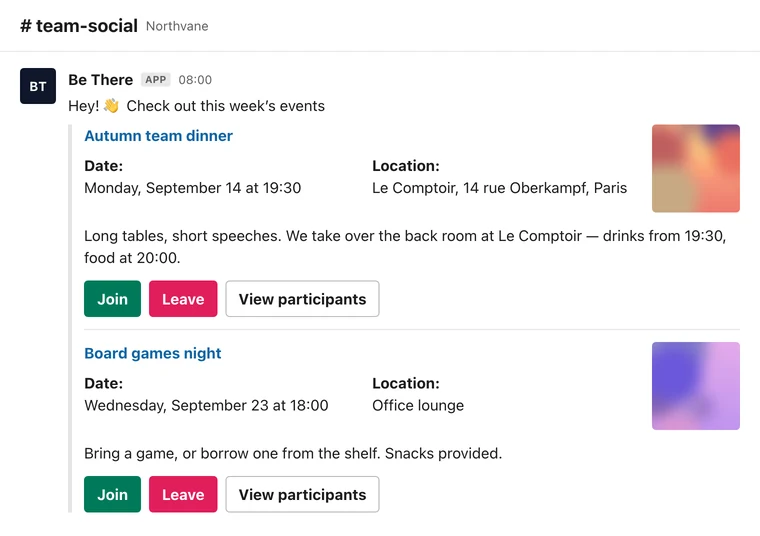
You can write this by hand in five minutes. If your events already live in a tool that posts to Slack, let it generate the list and spend your five minutes on the parts a tool cannot know — the lift being serviced, the delivery, the team that has taken over the big room.
The rituals that do not belong in Slack
An article arguing for the channel owes you the boundary. Four categories reliably go wrong when a channel is the whole system.
- Anything personal or contractual. Salary, health, accommodations, performance, an accident report. Not because Slack is insecure, but because a channel is the wrong audience and a thread is a terrible record. These belong in HR systems with access control and retention rules.
- Anything that needs an audit trail. Incident logs, access grants, compliance registers, safety checks. Slack is a conversation, not a ledger; “it was in a thread somewhere in March” is not an answer to an auditor.
- Anything with a real service commitment. If a landlord or supplier owes you a response time, the ticket lives in their system with a reference number. Post the heads-up in the channel; keep the clock where the obligation is.
- Anything with a headcount attached to money. This is the big one, and it is not about privacy. It is that a channel cannot count. Which brings us to the last section.
Where a channel alone stops working: events with a number attached
Presence threads, supply requests and visitor notices all work in Slack because none of them has to be exactly right. A rough sense of who is in is useful. A rough headcount for a catered lunch is a bill and an apology.
The mechanics of an emoji RSVP are worth spelling out, because it is the single most common way office events fail. People react to a message on Tuesday, the message scrolls away on Wednesday, and on Friday you have twenty-three raised hands, of whom four have since booked leave, two thought the 👍 meant “nice idea”, and nobody removed a reaction when their plans changed. There is no reminder, no close time, no list you can hand to a caterer, and no way to know whether the fourteenth yes was a person or a duplicate. The organiser ends up rebuilding the count by hand in a spreadsheet the morning of the event — which is the moment most recurring office rituals quietly stop being recurring.
What the same event needs to be reliable is unglamorous: a yes that is one click and attributable, a participant list anyone can open, a capacity that is enforced rather than hoped for, an invite that lands in the person’s actual calendar so it survives the channel scrolling away, a reminder before the day, and a close time you announced in advance so “final numbers” means something.
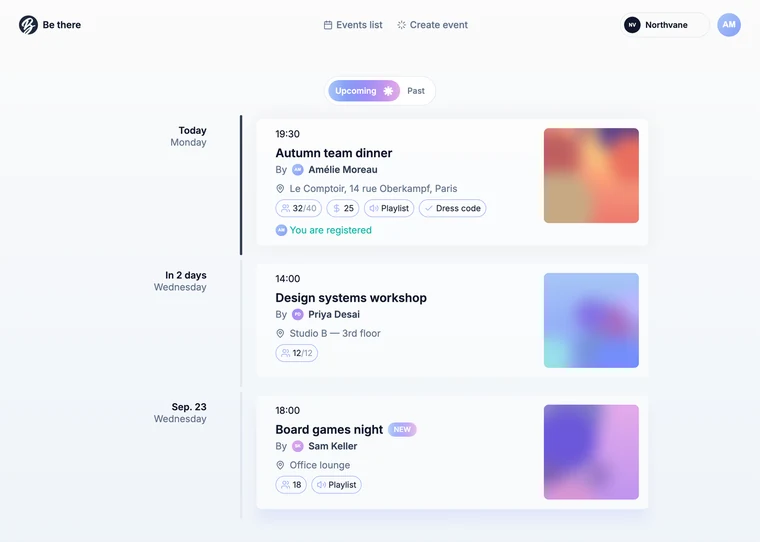
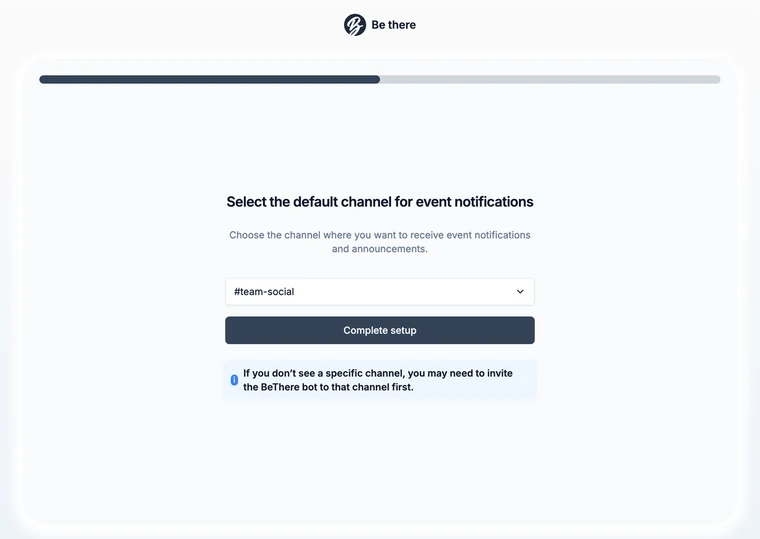
This is the one job in office management where we think a dedicated mechanic earns its place, and it is what Be There does: organisers set the event up properly in a dashboard — date, place, capacity, cover, whether registration is closed — and everyone else stays in Slack, where the announcement lands in the office channel with Join, Leave and View participants buttons, a calendar invite goes out the moment someone joins and is withdrawn when they leave, the waiting list promotes the next person automatically when a seat frees up, a Monday digest lists the week, and the photos come back into the same channel afterwards.
You can run the loop by hand, and for a one-off you should: a pinned post, a named close time, a manual reminder the day before, a list you keep yourself. Do that twice. If the same event happens every month, the manual version is the reason it eventually does not.
A 30-day rollout that does not collapse
Adding rituals faster than the team can absorb them is the most common way this fails. A month is enough for four.
- Week 1 — the container. One channel per site, four pins, a response window in the topic, a named owner and backup. Announce it once, in the channel people already read, and say what the channel is for in one sentence.
- Week 2 — presence. Start the Monday thread. Reply to it yourself first; empty threads stay empty. Say out loud that it is for planning and not a register.
- Week 3 — requests. Move supplies and repairs out of DMs. When someone DMs you anyway, answer briefly and ask them to post it in the channel next time so the answer is reusable. Close every request in public.
- Week 4 — what is on. Post the Friday look-ahead. Pick the one recurring office event that matters most and give it a real RSVP with a close time, rather than a reaction on a message.
Then stop and look at what happened. Count the presence replies, the requests that got closed, the attendance on that one event against the number who said yes. Keep what moved, drop what did not, and only then add something new. Three rituals people actually do beat nine on a slide.
Got Questions About Office Management in Slack?
✦Do we still need a desk-booking or workplace tool?
Only where scarcity is real and repeated. If people arrive and cannot find a seat, or a room genuinely gets contested, book those specific resources with a tool. If your office runs at 40% and the crunch is two Tuesdays a quarter, a warning post handles it and a booking flow taxes every other visit. Measure before you buy: two weeks of “was there space?” in the channel tells you more than a vendor’s occupancy model.
✦Isn’t a presence thread just attendance tracking with extra steps?
It becomes that the moment it is used against someone, and then the data goes bad, because people stop answering honestly. Keep it a planning signal: never total it by person, never quote it in a performance conversation, and make silence acceptable. If your organisation genuinely needs attendance records, that is an HR system with a policy attached — not a thread, and not a thread pretending otherwise.
✦How many channels should the office have?
One per physical site, plus a company-wide announcements channel you already have. Resist splitting into #office-supplies, #office-events and #office-visitors before there is enough volume that the single channel is genuinely unreadable — and when you do split, split the loudest topic out first rather than creating a full set at once.
✦How do we stop the office channel from becoming noise?
Threads for specifics, one weekly look-ahead instead of drip announcements, and a willingness to kill rituals in public when nobody joins them. An ignored ritual is worse than no ritual, because it teaches people the channel is safe to mute — and a muted office channel is how a closure notice gets missed.
✦What about hybrid teams where half the company never comes in?
Split the audience honestly. Presence, deliveries and the state of the kitchen are site-specific and belong in the site channel that remote people can mute without loss. The things that include everyone — a leaving message, an all-hands, a company ritual — need a venue that is not the building. That is where async rituals and remote-friendly events do the work the office used to do by proximity.
Share this post

Planning your internal events has never been easier!
No more scheduling headaches—our Slack-connected web app keeps things simple. Less email, more fun! 🚀
 Prefer a quick walkthrough?