
Be There
Blog
Slack Event Planning: How to Stop Team Event No-Shows
By BeThere
Aug 27, 2026 • 14 min read
Share this post


Twenty-two people said yes. Eleven came. You paid for twenty-two, you booked a room for twenty-two, and you spent the first ten minutes of your own team event apologising to a caterer. The next time you propose something, the yeses will be worth even less, because everyone now knows the yes costs nothing.
No-shows are treated as a culture problem — people are disengaged, the event was boring, remote work killed the social layer. Occasionally that is true. Far more often the event was fine and the commitment mechanism was broken: a reaction on a message that scrolled away, no calendar entry, no reminder, no visible list, no close time, and no cost to silence.
This is a piece about that mechanism. What actually causes no-shows at internal events, what a reliable RSVP loop looks like when the team lives in Slack, how to measure the gap, and how much coordination overhead you are absorbing by hand without counting it.
A yes you cannot count is not a yes. It is a compliment.
Why people do not show up
Six causes, in rough order of how much damage they do. None of them is “people do not care”.
✦1. The emoji RSVP is not a commitment
A 👍 on an announcement is the cheapest social act available. It reads as approval — “nice idea”, “I support this” — as often as it reads as attendance. It has no timestamp anyone checks, no removal discipline (people who bail almost never take their reaction off), and no identity beyond a hover. Reactions also accumulate from people who are not eligible: the person who leaves next month, the contractor, the colleague in another office who just liked the concept.
The result is a number that is systematically too high and cannot be corrected, because you cannot tell which of the twenty-two is real without asking twenty-two people.
✦2. Nothing reached their calendar
People do not attend from memory. They attend from whatever is on the screen showing their day. If saying yes in Slack does not put a block in the calendar, the event is competing with every meeting that did get a calendar entry — and losing, silently, to a client call booked over it three days later.
This single gap explains a large share of “they said yes and then had a meeting”. They did not change their mind. They never had a hold.
✦3. The announcement decayed
An announcement posted eleven days ago is not information any more; it is archaeology. Channels move. If the only mention of Thursday’s lunch was a Monday-of-last-week message, the people who were away, on deadline, or simply scrolling fast never had the event in view at a moment when they could act on it.
✦4. The organiser picked the date
When one person chooses the time, they optimise for their own calendar and get a low ceiling on attendance without ever seeing why. Nobody replies “that date is bad for me” to a fait accompli; they just do not come. A date the team chose has a floor under it — the people who voted for it have already thought about whether they are free.
✦5. Bailing is invisible and free
If leaving requires messaging the organiser, most people who cannot come simply do not come. That is not rudeness — it is friction. An unattended yes costs them nothing and costs you a chair, a meal, and a headcount you defended to finance. Making “I can no longer make it” one click, with no explanation required, converts a silent no-show into a freed seat.
✦6. Capacity was aspirational
“Room for 20” in the text of a message is a wish. If the twenty-first person can still say yes, you now have a second problem on top of the no-shows: people who were told they were coming, and were not.
What a reliable RSVP loop looks like
Six mechanics. Together they routinely move show-up rates more than any change to the event itself, because they change what a yes means.
✦A yes that is one click, in the channel, with a name attached
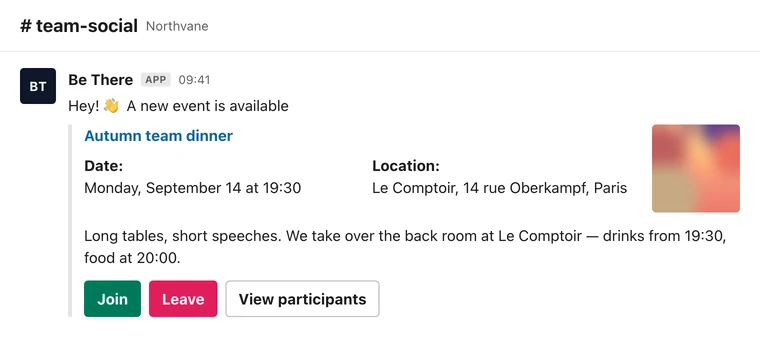
The RSVP has to live where the announcement lives — in the channel the team already reads — and it has to be a button, not a reaction. A button gives you the two things a reaction cannot: an identity you can list, and a state you can change.
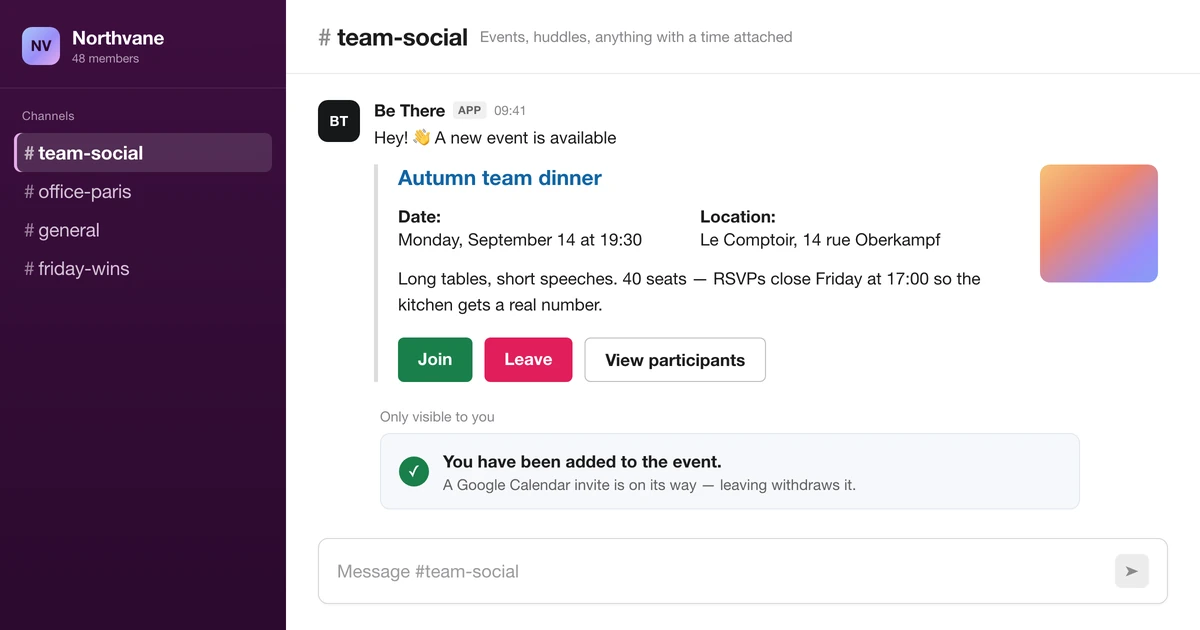
Confirm it privately. A visible “you are in” message to the person who joined, rather than a public reply, keeps the channel readable while making the yes feel like it registered somewhere. Announcements that fill with forty RSVP replies are how a channel gets muted.
✦A calendar invite the moment they say yes
The yes should create a hold in the attendee’s real calendar, automatically, and remove it when they leave. This is the highest-leverage item on the list and the one manual processes skip most often, because doing it by hand means maintaining an invite list in a second place and re-sending it every time someone joins.
Everything downstream gets easier once the event exists in people’s calendars: they see it in their day, their colleagues see they are busy, and the double-booking that would have quietly eaten your attendance never gets made.
✦A participant list anybody can open
Publishing who is coming does two things. It gives the organiser a number they can act on, and it gives everyone else a reason to come — attendance is social, and “four people from my team are going” is more persuasive than any description of the event. It also surfaces the imbalance you need to see early: if the list is nine people from one team, you do not have a company event yet.
✦Capacity that is enforced, and a waiting list that moves
If there are twelve seats, the thirteenth yes must be refused at the moment it is attempted, with an explanation — not discovered at the door. And the refusal should offer the waiting list, with a visible position, because “3rd of 7” is information people can plan around.
The waiting list is also your no-show insurance: when somebody leaves, the seat should go to the next person automatically. A queue that needs the organiser to notice a departure and send a message is a queue that stays full while the room has gaps.
✦One reminder, at the right distance
Not four. A single reminder before the event, in the same channel, with the current headcount, is enough — and posting the headcount is what makes it work, because it turns the reminder into news rather than nagging. A weekly look-ahead does the same job for everything at once.
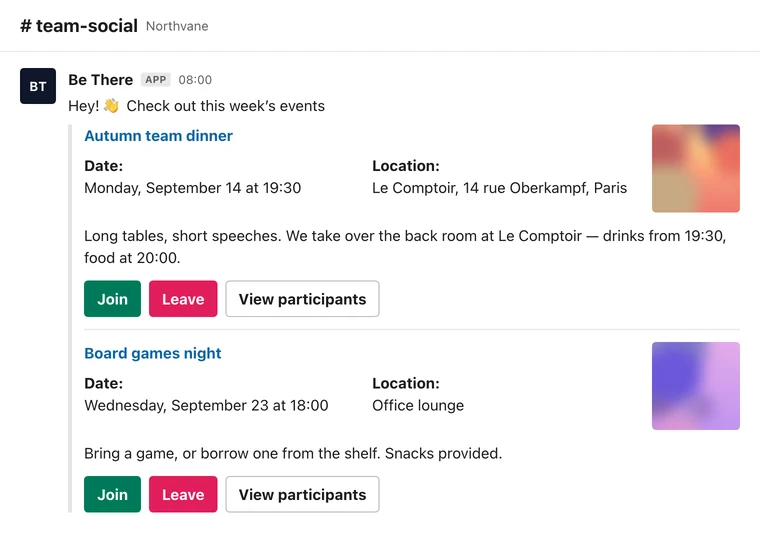
Announce far enough ahead that people can move things — five working days for anything needing a booking, a room, or travel; two days is plenty for a twenty-minute huddle. Then say, in the announcement, when RSVPs close. A close time you published is the difference between “final numbers” meaning something and meaning the morning of.
✦Let the team pick the date
Propose three dates, let people vote, and let the winning date become the event. It costs the organiser nothing and removes the most common structural cause of a half-empty room.
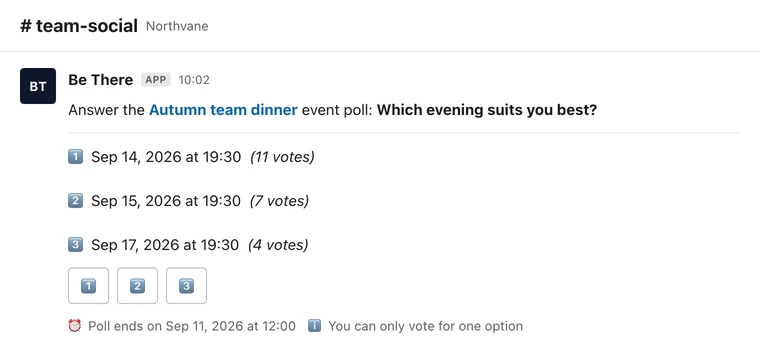
Two details make date polls behave: publish the closing time in the message, and decide the tie rule in advance — earliest date is the sane default — so the poll produces a decision rather than a second conversation. If the poll is going to set the date automatically, say so, because that is what makes voting feel consequential rather than decorative.
Measure the gap, not the vibe
You cannot fix a no-show rate you have not written down, and you do not need a dashboard for this. Four numbers per event, in a note:
- Show-up rate — people who came ÷ people who said yes. This is the headline number. Under 60% means the yes is not a commitment yet: usually a missing calendar invite or a missing reminder, occasionally a date the organiser chose alone.
- Reach — people who said yes ÷ people who could have. A high show-up rate on a tiny yes count is not a success; it is a clique with a calendar entry. Low reach points at the announcement (wrong channel, too late, unclear what it actually is), not at the RSVP mechanics.
- Late churn — people who left in the last 48 hours. Healthy, if it is happening at all: it means leaving is easy and your headcount is honest. Zero late churn plus a low show-up rate is the classic signature of an RSVP nobody can withdraw.
- Repeat rate — people who came this time and last time. Rising means the ritual is landing. Flat with new faces each time means you have an audience, not a habit.
Track them for three events before changing anything. Then change one thing — the reminder, the calendar invite, who picks the date — and compare. Changing five things at once tells you nothing about which one worked.
The overhead you are absorbing without counting it
No-shows are the visible cost. The invisible one is the organiser’s time, and it is why internal rituals die even when people enjoy them.
Run the arithmetic on one modest recurring event. Writing the announcement is ten minutes. Tallying reactions and chasing the ambiguous ones is twenty. Maintaining a spreadsheet of who is coming, because the reactions cannot be exported, is fifteen. Sending the calendar invite and updating it twice as people join is fifteen. Posting reminders is ten. Reconciling the final number with the caterer is twenty. Collecting and sharing photos afterwards is another twenty. Call it two hours per event, most of it clerical, all of it on one person who also has a job.
Two hours is survivable once. It is not survivable monthly, and the failure mode is never a decision — it is the third month, when the organiser is on leave, nobody else knows the routine, and the event simply does not get announced. That is what “our team events fizzled out” usually means. Not lost enthusiasm: an unowned manual process.
This is the shape of problem worth putting a mechanic behind. Be There runs exactly this loop with Slack as the front end: the organiser sets the event up once — date or a date poll, location, capacity, cover image, whether registration is closed — and the announcement lands in the events channel with Join, Leave and View participants buttons; joining sends a Google Calendar invite and leaving withdraws it; the waiting list promotes the next person when a seat frees; a Monday digest lists the week; and the morning after, participants get a private link to upload photos that get published back into the channel.
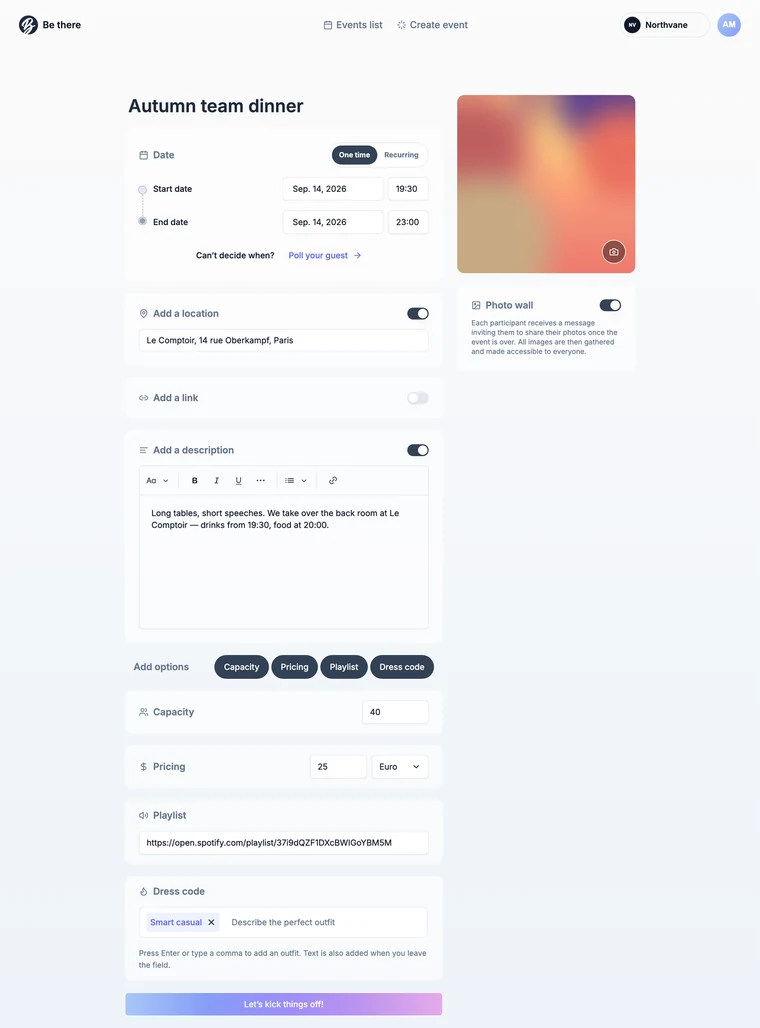
The honest version of the recommendation: run your first few events by hand. A pinned post, a named close time, a manual reminder, a list you keep yourself — that is a real process and for a one-off party it is the right amount of machinery. Reach for a tool when the event repeats, when the number has money attached, or when the spreadsheet is the reason the dinner keeps not happening.
A no-show postmortem you can run in fifteen minutes
After the next event that underperformed, work through this in order. It resolves most cases without a survey.
- Did every yes have a calendar entry? If not, stop here and fix that first. It is the single largest cause and the cheapest to remove.
- When was the last mention before the event? If the answer is more than four days, the reminder is missing, not the interest.
- Could someone withdraw in one click? If leaving required messaging you, count your no-shows as unrecorded cancellations, and expect the real number to be lower than it looks.
- Who chose the date, and how? If it was one person, propose three dates next time and compare the numbers.
- Was the yes attributable? If your record is a row of reactions, you do not know who did not come — which means you cannot tell whether it was the same eleven people twice.
- Did anything come back afterwards? A recap and two photos in the channel is the cheapest marketing the next event will ever get, and its absence is why announcement number four lands flatter than number one.
Ask individuals only after the mechanics are clean. If the calendar invite, the reminder and the one-click leave are all in place and half the yeses still evaporate, then it is the event — and that is worth asking two people who did not come, and worth believing them.
Got Questions About Slack Event Planning and No-Shows?
✦What is a good show-up rate for an internal event?
For an optional social event with a proper RSVP, a calendar invite and one reminder, 75–85% of yeses is a realistic target, and above 90% usually means capacity was tight enough that people treated the seat as scarce. Under 60% is a mechanism problem, not an interest problem. Compare against your own history rather than a benchmark: the useful question is whether this event beat your last three.
✦Can we not just use emoji reactions and a spreadsheet?
For a one-off, yes — and be deliberate about it: announce a close time, copy the names out on the close date rather than the morning of, send a calendar invite by hand, and post one reminder with the count. What does not survive is the repeat. Every month the transcription happens again, and it only takes one holiday for the ritual to skip a beat and then stop.
✦Does adding reminders annoy people?
Four reminders do. One does not, especially when it carries something new — the current headcount, the menu, the room. What annoys people is being reminded about something they never agreed to attend, which is a targeting problem: remind the channel once, and remind the people who joined through the thing they joined with.
✦How far ahead should we announce?
Five working days for anything requiring a booking, travel, or a babysitter; two days for a short huddle or an in-office lunch. Earlier than two weeks and the announcement decays before the day, so if you must announce a month out, plan on re-announcing — a weekly look-ahead does this without extra effort.
✦How do we handle a hard capacity without disappointing people?
Publish the number in the announcement, refuse the join at the moment it happens rather than at the door, and offer a waiting list with a visible position. Then make the queue actually move: promote the next person automatically when someone leaves. Most disappointment comes from ambiguity rather than scarcity — people accept “12 seats, you are 3rd in line” much better than finding out on the night.
✦Does any of this work for fully remote teams?
The mechanics matter more, not less, because there is no corridor to remind anyone. Keep the RSVP and the calendar invite exactly as described, put the timezone in the announcement, and let the team pick the slot — with no shared lunch hour, the date poll is doing most of the work. Then keep live events short and optional, and put the rituals that need everybody into async formats where nobody can be late.
Share this post

Planning your internal events has never been easier!
No more scheduling headaches—our Slack-connected web app keeps things simple. Less email, more fun! 🚀
 Prefer a quick walkthrough?